
Download PC Cleaner - Disk Clean & Virus Scan – System Optimization, Junk File Removal, Computer Maintenance
Overview
PC Cleaner - Disk Clean & Virus Scan is a productivity-focused tool designed to enhance computer performance through systematic maintenance and security protection. The app targets users seeking to optimize their Windows systems by removing unnecessary files, managing storage efficiently, and safeguarding against digital threats. It is particularly suited for both casual users managing everyday tasks and tech-savvy individuals aiming to fine-tune their device’s efficiency. By combining disk cleanup with real-time virus scanning, the application addresses two critical aspects of system health: speed and security. The developer, PC Cleaner, has positioned this tool as a comprehensive utility for ongoing computer upkeep, offering a one-stop solution for users who want to maintain peak performance without deep technical knowledge.
Real-world use cases include clearing temporary files after software installations, identifying large media files consuming disk space, and running periodic virus scans to prevent malware infiltration. These functions are essential for maintaining long-term system stability and data integrity. In the broader app ecosystem, PC Cleaner fills a niche by providing a streamlined alternative to more complex system maintenance suites. Its free pricing model increases accessibility, making it a practical choice for users who want reliable performance optimization without financial commitment. Although the developer did not provide additional technical details about the underlying algorithms or security engine, the app’s functionality suggests a focus on efficiency and user convenience.
Key Features & Functionality
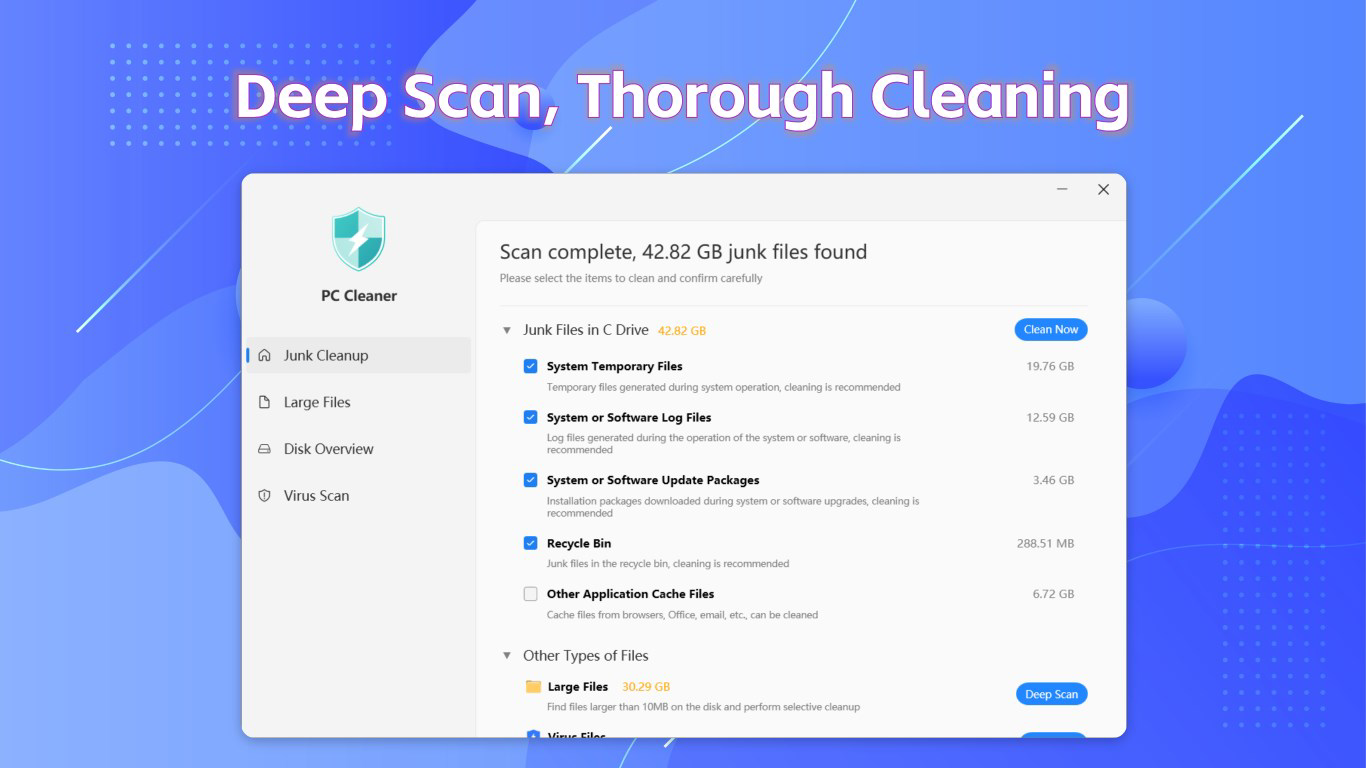
- Efficient Junk File Cleaning: Utilizes advanced scanning technology to detect and remove temporary files, cache, and system clutter. This process frees up disk space and reduces system load, contributing to faster boot times and smoother operation.
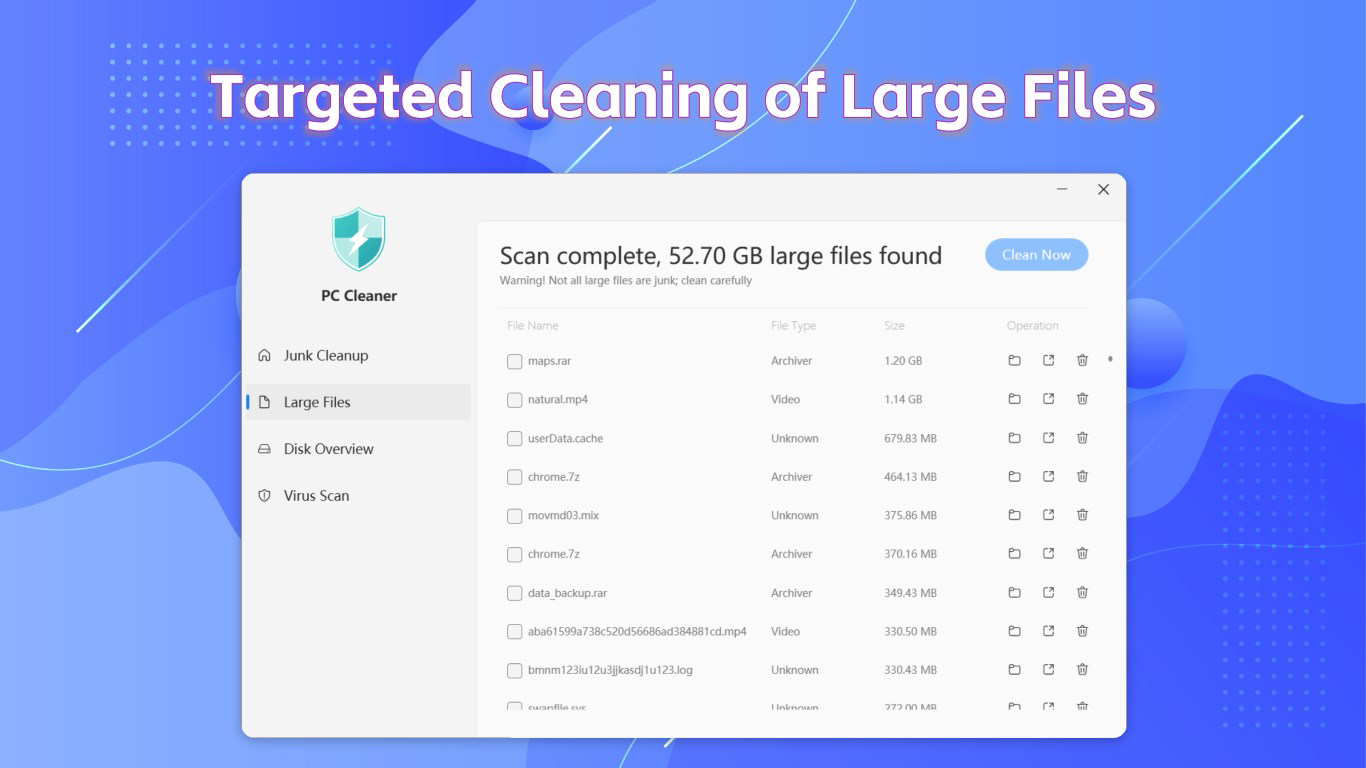
- Deep File Cleanup: Scans storage drives to identify large, unused files such as old downloads, duplicate media, or redundant backups. Users can review and selectively delete these files to reclaim valuable space.
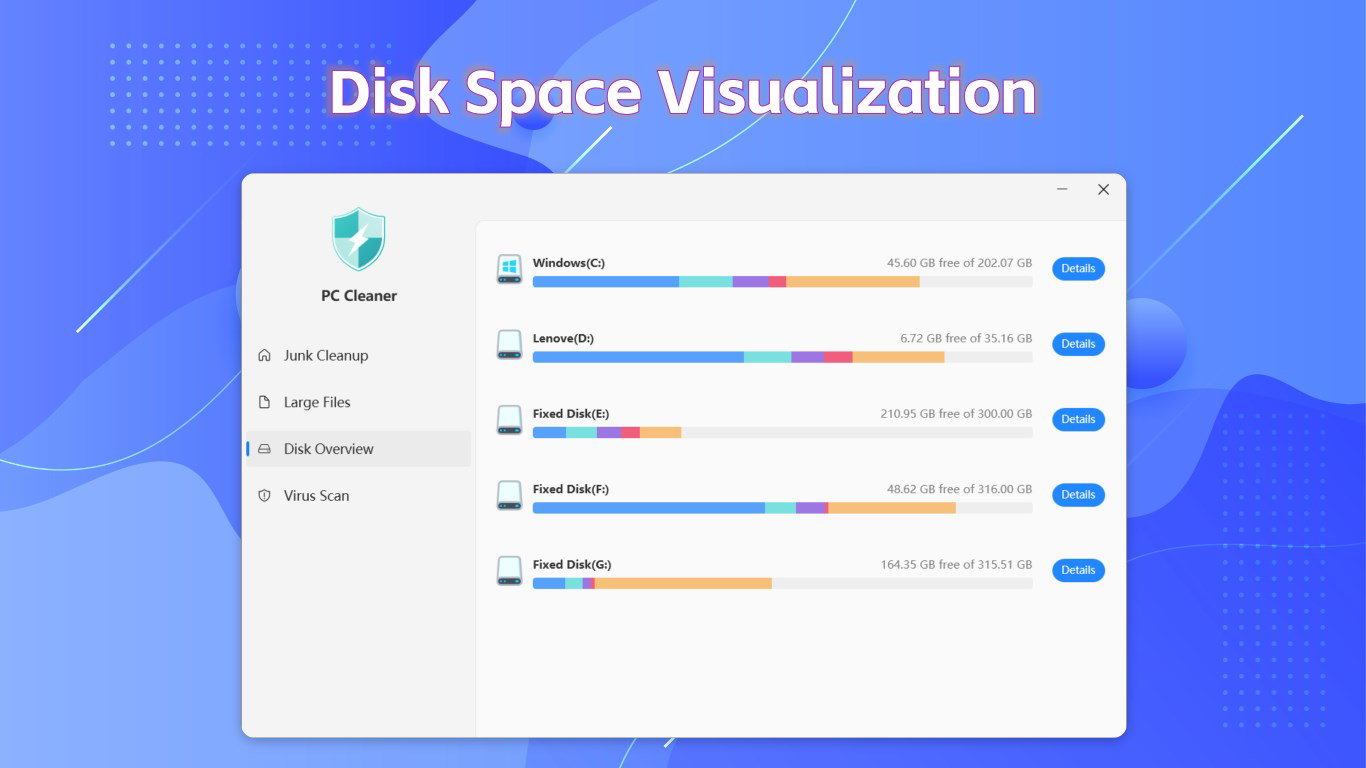
- Comprehensive Disk Analysis: Generates detailed reports on disk usage, highlighting folders and files that occupy excessive space. This insight enables users to make informed decisions about file organization and storage management.
- Robust Virus Protection: Includes an integrated scanning engine that detects and removes malware and other online threats. This feature provides an additional layer of security during browsing, file downloads, and software updates.
- User-Friendly Interface: Designed with simplicity in mind, the app offers intuitive navigation and clear visual feedback. Tasks such as initiating a scan or reviewing results can be completed in a few taps, minimizing user effort.
For example, a user experiencing slow performance after months of use can run a full system scan to clear temporary data and identify large files. Another user concerned about online safety can schedule regular virus checks to prevent infections. The combination of automated cleaning and manual review options ensures flexibility across different user preferences and technical levels.
Interface, UX & Performance
The interface of PC Cleaner - Disk Clean & Virus Scan reflects a clean, minimalist design with a focus on usability. Navigation is structured around a central dashboard that displays key metrics such as disk space usage, scan status, and security alerts. Primary actions like starting a scan or viewing cleanup results are accessible through clearly labeled buttons, reducing the learning curve for new users. The visual layout avoids clutter, using color-coded indicators to distinguish between safe files, potential junk, and security threats.
Performance is optimized for responsiveness, with scans completing in a reasonable timeframe on typical Windows systems. Although the developer did not list formal performance metrics, the app operates smoothly during background tasks and does not significantly impact system resources during active use. Stability appears consistent across different device categories, though specific hardware compatibility details were not disclosed. The app maintains a low memory footprint, which is beneficial for systems with limited RAM. Users can expect consistent behavior during repeated usage, with no reported crashes or freezes in the provided information.
Platform Compatibility & Technical Requirements
PC Cleaner - Disk Clean & Virus Scan is available exclusively for the Windows platform. The current version is 1.2.3, with a file size of 25.4 MB, making it a lightweight application that installs quickly and consumes minimal storage space. The developer did not specify minimum OS requirements, so compatibility with older or newer Windows versions remains unclear. Users should verify system compatibility before installation, especially if running legacy or specialized Windows configurations.
Given the app’s size and focus on system-level operations, it is likely designed to work with standard Windows 10 and Windows 11 environments. However, without explicit details, users are advised to consult official sources for updated compatibility information. The app is free to download and use, which enhances its accessibility across a wide range of users, including those on budget systems or with limited software budgets.
Pros and Cons
Pros
- Free to download and use, making it accessible for all users.
- Lightweight size (25.4 MB) ensures fast installation and minimal storage impact.
- Intuitive interface suitable for users of all technical levels.
- Combines disk cleanup and virus scanning in a single tool.
- Provides detailed disk analysis reports for informed file management.
Cons
- Specific system requirements were not listed by the developer.
- Performance metrics and scan speed details were not disclosed.
- No information provided on update frequency or support lifecycle.
- Compatibility with older Windows versions remains unconfirmed.
- Limited visibility into the virus scanning engine’s detection rate or threat database.
FAQ
Is PC Cleaner - Disk Clean & Virus Scan safe to install?
Yes, the app is designed to operate within standard Windows security protocols. It does not require elevated permissions for basic operations and is free from known malicious components. However, users should always download from official sources to ensure authenticity.
Can I use PC Cleaner on older versions of Windows?
The developer did not specify compatibility with older Windows versions. While it may function on systems like Windows 8 or 10, no official support or testing information is available.
Does PC Cleaner require a subscription to access all features?
No, the app is currently free and does not require a subscription. All core features, including junk file removal, disk analysis, and virus scanning, are available without additional cost.
How often should I run a system scan?
For optimal performance, users are advised to run a full scan at least once a month. More frequent scans may be beneficial after installing new software or downloading large files.
Is PC Cleaner compatible with all types of storage drives?
The app is designed to work with standard internal and external storage drives, including SSDs and HDDs. Specific limitations for specialized or network-attached drives were not mentioned.
Final Thoughts
PC Cleaner - Disk Clean & Virus Scan stands out as a practical, no-cost solution for users seeking to maintain their Windows systems with minimal effort. Its dual focus on performance optimization and digital security makes it a valuable addition to any user’s toolkit. The clean interface, combined with powerful features like deep file cleanup and comprehensive disk analysis, ensures that both novice and experienced users can benefit. While some technical details remain undisclosed, the app delivers on its core promises without unnecessary complexity.
It is particularly well-suited for individuals managing personal computers, students, remote workers, and anyone who values a fast, secure, and organized system. The free model further enhances its appeal, offering robust functionality without financial barriers. With regular use, users can expect improved system responsiveness, better storage management, and enhanced protection against threats.
Download PC Cleaner now to take control of your computer’s health and performance.


